The Rapid E-Learning Blog
The Rapid E-Learning Blog is as it suggests a blog, which is accessible http://blog.articulate.com. Having subscribed to it recently, interesting and newsworthy information is received on a weekly basis
There are two subscription options; subscribing personally or to visit the ‘My Educational Network Site’, where new and interesting content will be loaded on a continual basis from the site itself.
How to Become a Successful E-Learning DeveloperPosted: Tuesday, March 12, 2019
Between the blog posts, community interactions, workshops, and webinars one of the most frequently asked questions is how to get started with e-learning or become a better e-learning developer. I’ve written about this in several previous posts that cover how to build your skills, create your personal brand, and maintain a portfolio. You can find previous posts and a really cool interaction below. How to Build Your SkillsHere’s a list of some of the posts on personal development.
Just Getting Started?You know what’s better than reading a bunch of articles? Seeing it all in an e-learning module. Sarah Hodge of SlideSugar recently shared a really great example of how to get started with e-learning. Not only is the content valuable, but it’s a demo worth deconstructing to glean ideas for your next e-learning course. Be sure to check out the articles and Sarah’s e-learning example above. What tips would you give to those who are just getting started or want to improve their e-learning design skills? |
|

Weekly Challenge: A Couple of Visual Design Tips for E-LearningPosted: Tuesday, February 26, 2019
As mentioned previously, I like to take part in the community’s e-learning challenges. They’re great to practice ideas and learn more about using the e-learning software. In a recent e-learning challenge, we were asked to create a demo module and use the 2019 Pantone Color of the Year (which is Living Coral). This came at a good time, as I was pulling together some content for a workshop and wanted to show a few different ideas around color in a course’s visual design. The examples below go from subtle to “in your face.” Visual Design Tip: Make Everything Greyscale & Use One Accent ColorOne tip we share often is to make everything greyscale. And then select a single accent color. One benefit is that it tends to make the screen content look a bit more elegant. And the accent color really pops. And it gets rid of a lot of conflicting colors and helps direct the eye.
Click here to view the example. In the example above:
Often less is more, and in this case getting rid of color in the image and working with one (or two accent) colors really makes them pop and it cleans up the visual design. Visual Design Tip: Use Silhouettes and Bold ColorsThis other example is a bit more bold and in your face and it’s create to draw attention. I’d use it sparingly, but it’s great for making key points or title screens. And it’s easy to do.
Click here to view the example. Silhouettes are easy to create from people and objects. They work best with strong contrast. I like them because their ambiguous which comes in handy for people imagery.
Check out some of the other Pantone 2019 challenge entries. If you don’t participate in the e-learning challenges, you should. You’ll learn new things and be amazed at what others create and how different everyone is in approaching the same challenge. If you do participate, write a post and share what you learned or a technique you used to build it. Download the fully revised, free 63-page ebook: The Insider's Guide to Becoming a Rapid E-Learning Pro Upcoming E-Learning Events
Free E-Learning Resources
|


Create Free Emoji for E-LearningPosted: Tuesday, February 19, 2019
Most e-learning courses have some sort of positive and negative feedback. And often we use symbols like a check or X mark to indicate good or bad. Why not use emojis? In a previous post, I explained when to use emojis for e-learning and three ways to insert them into your courses.
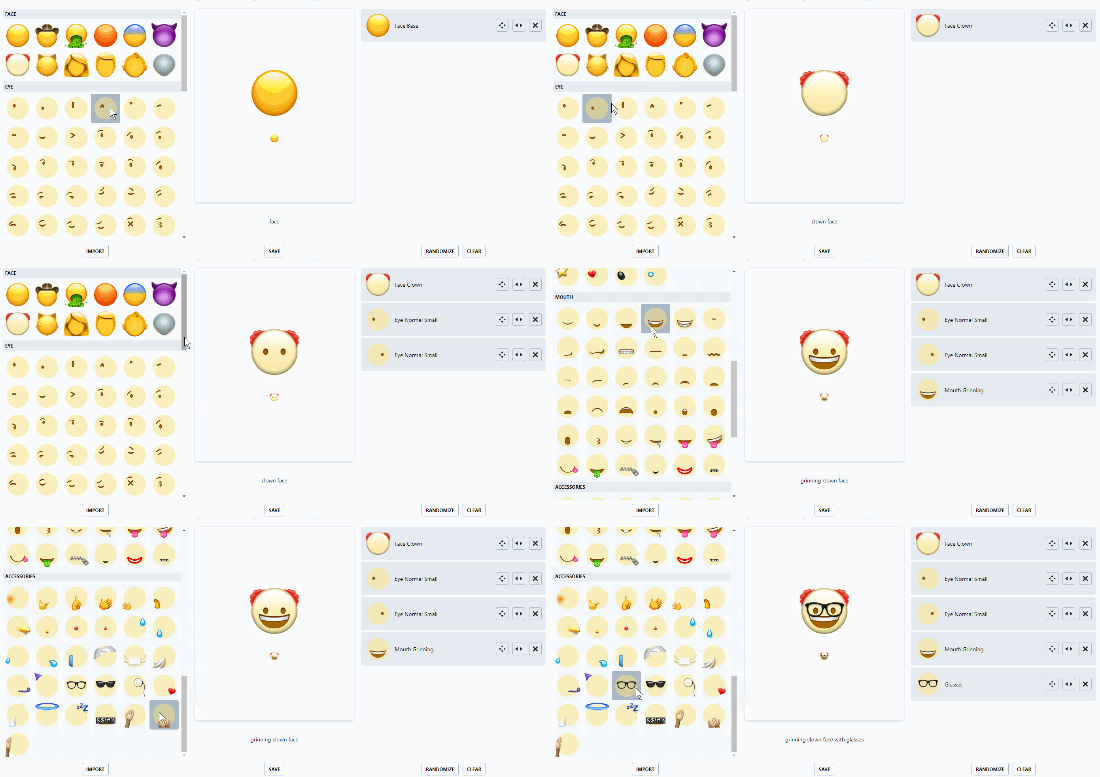
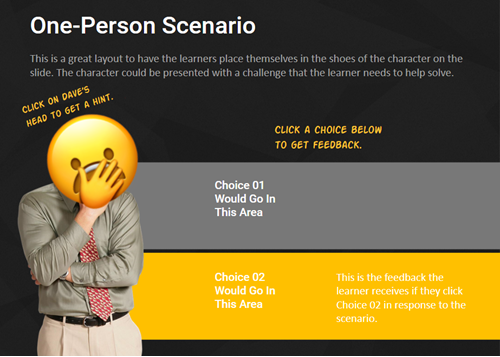
Create Free EmojisHere’s a site where you can create free custom emojis. The site is easy to use and you can create all sorts of fun emojis to provide feedback in your courses. Here’s quick tutorial that shows how to use the free emoji site. And here are a couple of silly examples where I use the free emojis as a way to offer hints on a slide and as a way to provide right and wrong feedback.
Of course the example above is silly, but you could find more creative and appropriate ways to use these free assets in your e-learning content, especially if working with a younger audience. Since the image files you get are the same dimensions, they’re perfect for buttons with various states. If you did create some free emojis, how would you use them in your courses? |